


No-repeat draw, difficulty and points in the final exam
These three features apply to the final exam of a modular content. The first two change which questions each attempt gets; the third changes how much each question is worth.
New attempts without repeated questions
Section titled “New attempts without repeated questions”When the exam draws its questions (for example, the bank has 20 questions and each attempt gets 10), a participant who retakes the exam now receives, by preference, questions they have not seen in the earlier attempts of the same enrollment. There is nothing to switch on: this applies to every exam that draws questions.
- If the bank still has enough unseen questions, the new attempt repeats none.
- If the bank has run out, the exam uses the questions seen the fewest times first. The exam never gets shorter because of this.
- Attempts voided by an administrator count as seen.
- An exam with no draw (all questions, every time) does not change.
How many attempts can the bank support? In the final exam editor, right below Maximum attempts, a line such as “Bank: 20 questions. Each attempt serves 10. Attempts without a repeated question: 2.” appears. If the attempt limit is higher than that number, the editor warns that some questions will come back. To avoid it, add questions to the bank.
Question difficulty
Section titled “Question difficulty”Each exam question (and each question in the Question library) has the Authored difficulty field, with the options Easy, Medium and Hard. Leaving it blank is allowed.
This difficulty is the one you choose. The system does not calculate it from participants’ correct answers. Library questions show the difficulty locked: to change it, edit the question in the library.
Drawing by difficulty
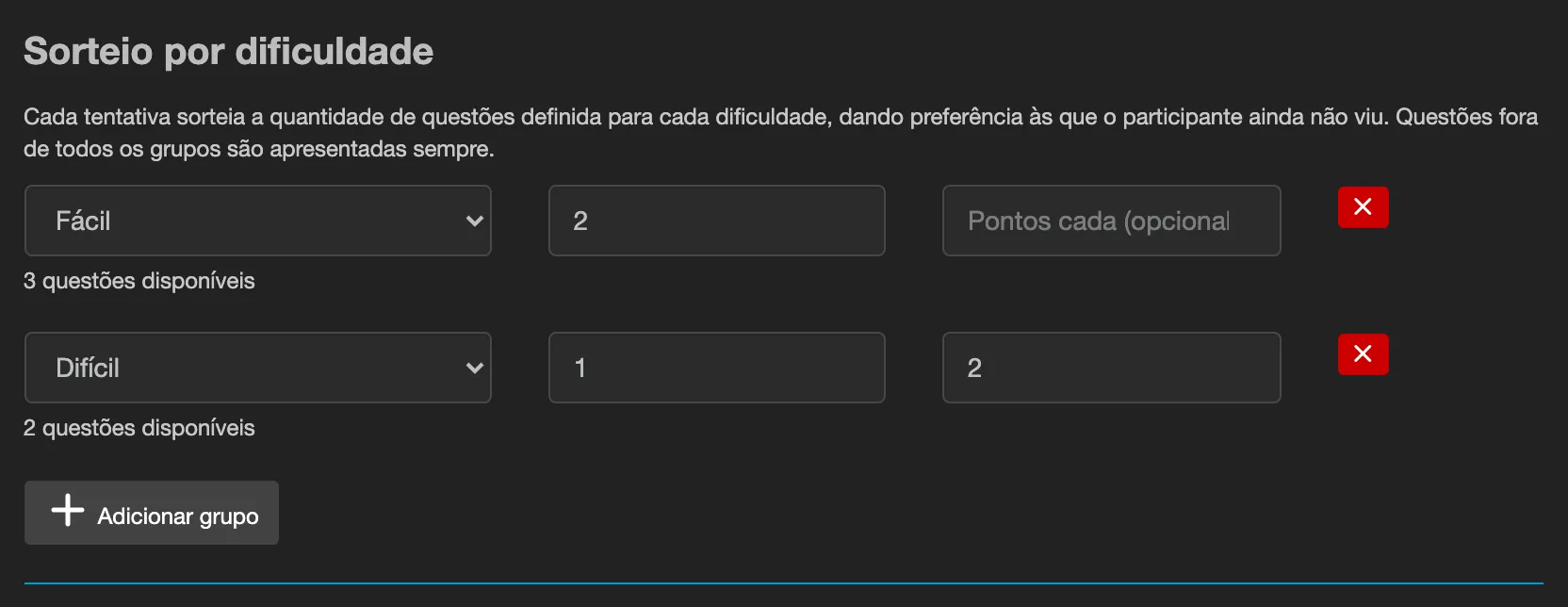
Section titled “Drawing by difficulty”In the final exam, below the shuffle options, use Draw by difficulty and click Add group. Each group has:
- the difficulty (Easy, Medium, Hard or “No difficulty set”);
- how many questions to draw (1 to 100);
- the points of each question in the group (optional).
Example: a group “Easy, 3 questions” and a group “Hard, 2 questions” give every attempt 3 easy and 2 hard questions, picked at random among those each difficulty has.
- A question that belongs to no group is served on every attempt.
- Below each group the editor shows how many questions are available. If a group asks for more than exists, the editor warns and the publish is refused.
- With difficulty groups, the “limit questions” field no longer applies: the amount comes from the groups.
- If the exam also uses library tag draws, the difficulty groups are ignored. The library draw rules have a Difficulty field, with the option “Any difficulty”.
Points per question
Section titled “Points per question”Each question has a Points field (a whole number from 1 to 100; blank counts as 1). A draw group can set the points of all the questions it draws.
The exam score is still a percentage from 0 to 100: points earned divided by the points of the questions served, rounded. So the minimum passing score and the reports work as before.
On an exam with points other than 1, the result screen shows the percentage score and does not show “you got N of M”: a count of correct answers would suggest something different from the score.
Import and export
Section titled “Import and export”Question CSV files gained the Difficulty (Easy, Medium, Hard) and Points columns. They only appear in an export when some question uses them. On import, a value that is not a known difficulty or a whole number from 1 to 100 rejects the row. QTI packages do not carry these two fields.
In the Question library
Section titled “In the Question library”The library shows the difficulty next to each question and has a Filter by authored difficulty filter.