


Managing administrators
Eduvem has a layered permission system: a role applies either to the whole institution or to one specific class, and a broader role automatically includes everything the narrower roles can do within its scope.
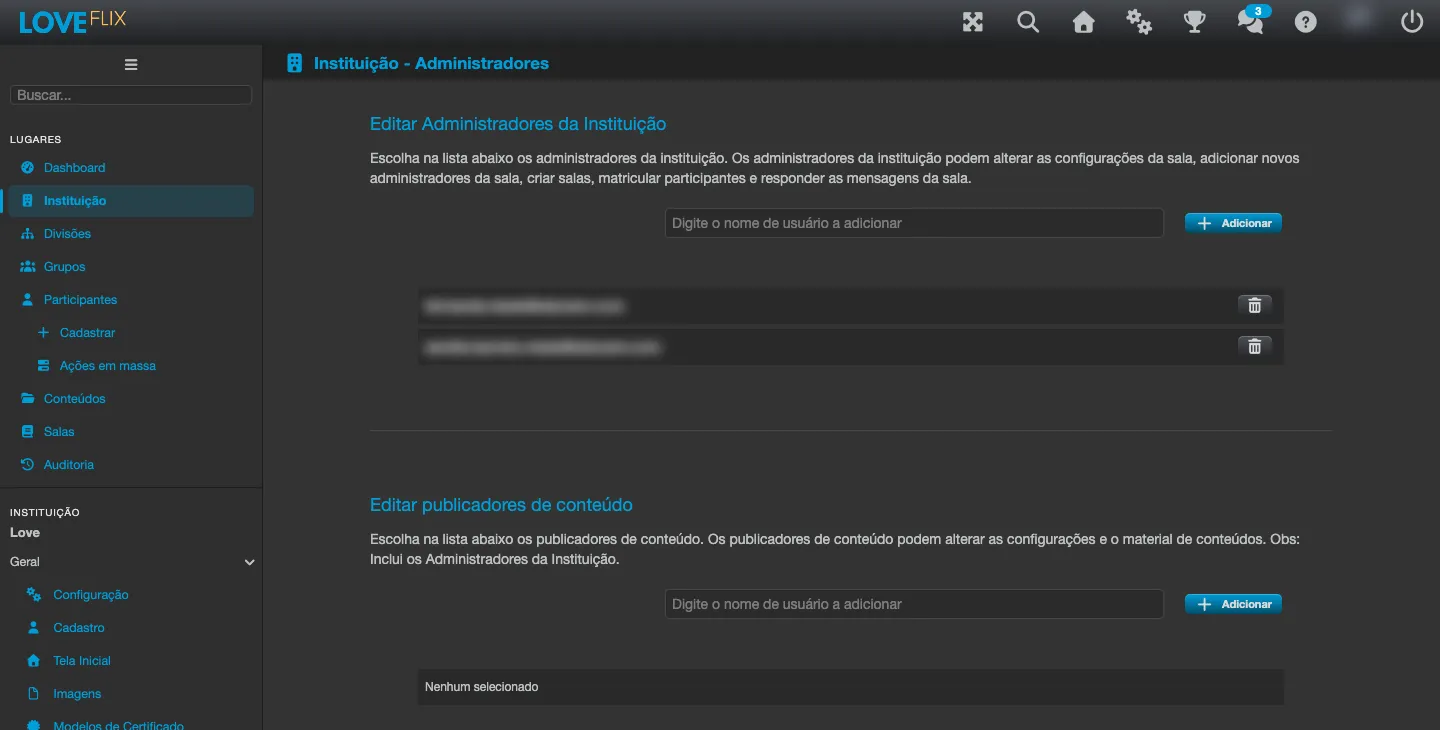
Institution-level roles
Section titled “Institution-level roles”| Role | What it does |
|---|---|
| Institution Admin | Full control: settings, content, classes, participants and reports |
| Global Class Administrator | Enrolls participants and answers messages in every class of the institution, with no access to the other settings |
| Global Class Observer | Views enrollments and generates certificates for every class, without changing enrollments or settings |
| Content Publisher | Changes the settings and material of content, without the other administrative powers |
Class-level roles
Section titled “Class-level roles”| Role | What it does |
|---|---|
| Course Class Admin | Manages that class: settings, enrollments, scores and chat |
| Course Class Observer | Follows that class in read-only mode |
| Tutor | Supports the participants of the class, without changing settings or enrollments |
Divisions: administration by area
Section titled “Divisions: administration by area”For large institutions, divisions offer a middle ground: a division administrator manages only the classes assigned to their division, without seeing the rest of the institution. A person does not hold a division role and a whole-institution role at the same time - it is one or the other.
Rules that apply to every role
Section titled “Rules that apply to every role”- The person must belong to your institution and must not be deleted to receive a role - even a disabled participant can receive an administrative role.
- The platform rejects duplicate assignments of the same role.
- Every role assignment and removal is recorded in the institution’s audit history.
Always grant the smallest role that solves the need - and review the list of administrators periodically.