


The Flip book lecture type
The Flip book presents a PDF file as a book within the lecture itself, with pages the participant turns one at a time - ideal for course booklets, magazines, catalogs and other material where flipping page by page is part of the experience.
Adding the lecture
Section titled “Adding the lecture”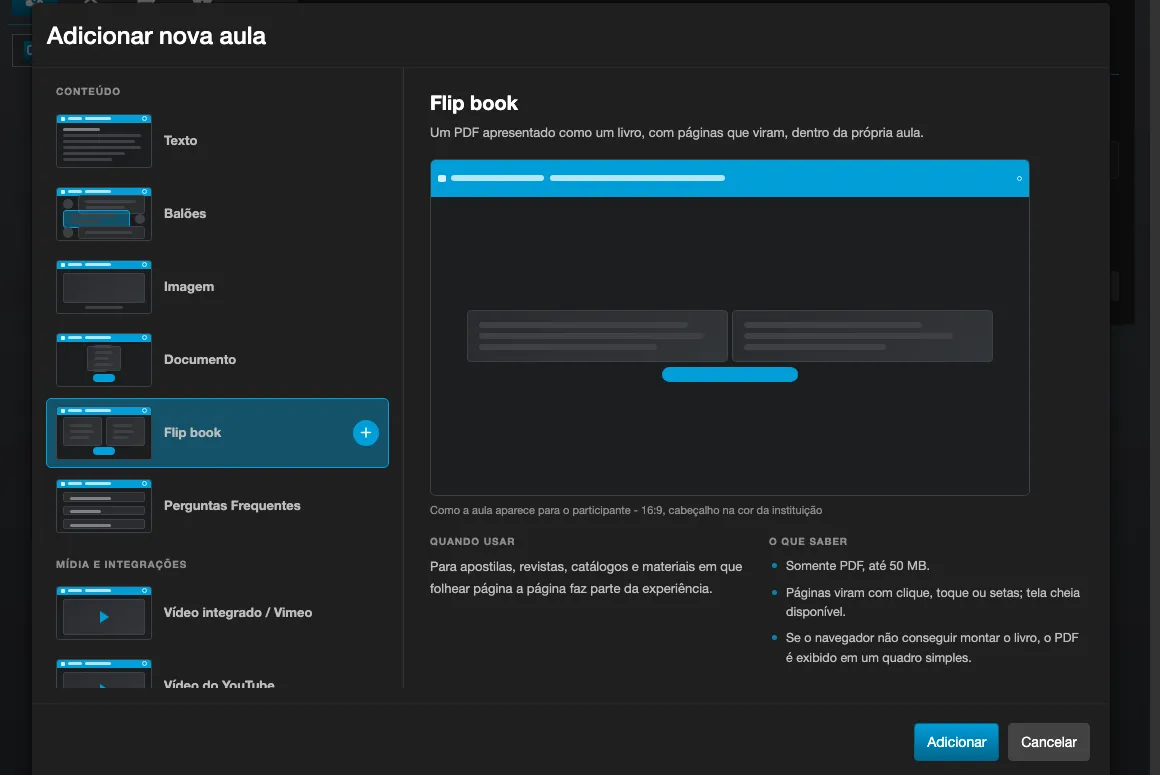
- In the modular content editor, click Add new lecture to this topic and choose Flip book (PDF), in the Content section of the type picker.
- Upload the PDF file directly from your computer - it is the only format accepted for this lecture type, and uploading is the only source offered.
- The file needs to be under 50 MB.
- Optionally, fill in the Text field, shown below the book on the lecture.
How the participant interacts
Section titled “How the participant interacts”- Pages turn with a click or tap, by dragging the corner of the page, with the arrow buttons on the toolbar, or with the keyboard’s arrow keys.
- A counter shows the current page and the total (for example, “3 / 12”).
- A fullscreen button is available when the participant’s browser supports the feature.
- The Open document button is always available, even with the book already assembled - it opens (or allows downloading) the original PDF in a new tab, regardless of the viewer’s state.
Viewer limitations
Section titled “Viewer limitations”The pages are drawn as an image, not as real text. Because of this, inside the book it is not possible to select text, search (Ctrl+F) or click links that exist in the PDF. For any of these needs, use the Open document button: it shows the original PDF, with every feature of the browser’s own viewer.
When the book is not assembled
Section titled “When the book is not assembled”In browsers that cannot assemble the viewer, or when the uploaded PDF is password-protected, the Flip book automatically shows the document in a plain frame, with a warning - the same behavior as a Document lecture. This is an expected situation, not an error: the content stays accessible, just without the turning pages.