


Online tutoring and discussions
Besides the content, a class can offer human support: tutors who answer questions and conversation channels with the group.
The Tutor role
Section titled “The Tutor role”Grant the Tutor role to the people who will support the class. The tutor takes part in conversations and tracks participants’ progress, without receiving the administrative powers of whoever manages the institution. On roles, see Access control.
Class chat
Section titled “Class chat”Each class can have chat enabled in its settings: a conversation channel between participants, tutors, and administrators of the class. Use it for quick notices, questions about the content, and a sense of group.
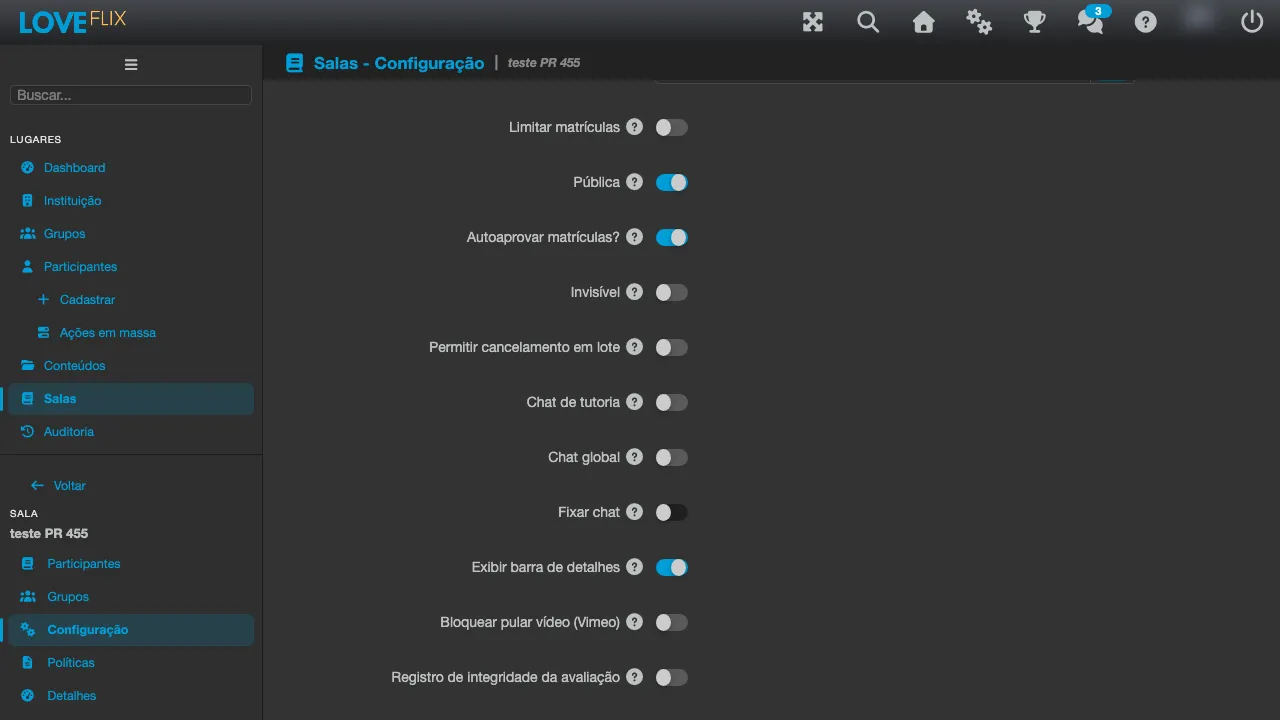
- Enable the Global Chat when creating the class or afterward, in its settings. The Tutor Chat requires at least one tutor already configured on the class’s Administrators tab.
- The history stays available to whoever joins the conversation.
Messages to the class
Section titled “Messages to the class”For formal announcements (a deadline change, new material), use the class’s messages: every participant receives it, including by email according to the institution’s notifications.
Support for the participant
Section titled “Support for the participant”The platform’s help button can open your institution’s support channel, as configured. Content questions go to the tutor; access and registration questions go to support.