


Active time measured in the classroom
Eduvem can measure each participant’s active time in the classroom: the time they are really working on the content. The value is shown to the staff who follow the class, in hours and minutes (h:mm), and supports follow-up and documentation of participation. It is a measurement only: nothing is blocked or changed because of it.
What counts as active time
Section titled “What counts as active time”A second is counted only when all of these are true at the same time:
- the platform tab is visible in the browser;
- the browser window is in focus;
- there was recent activity (mouse, keyboard, scrolling or touch) in the last 5 minutes, or a lecture video or audio is playing.
If the participant leaves the tab in the background, switches windows or goes more than 5 minutes without interacting, time stops counting until they interact again.
Time is counted only in lectures the participant actually entered. So that two browsers or tabs open at once do not count twice, the time credited to each participant never exceeds the real elapsed time.
Not measured: test classes (sandbox), enrollments that are not active, and the classroom opened embedded in another site.
Content in external players
Section titled “Content in external players”Inside an external player (YouTube, social networks and others), the platform can only tell that the participant is there, not what they do inside it. For that reason, time counts while the participant interacts with the lecture page or for 5 minutes after the last interaction. Vimeo videos and the platform’s own videos and audio count while they are playing.
SCORM content
Section titled “SCORM content”For SCORM content the measurement is best effort: tab visibility and window focus are always taken into account, but activity inside the content is only noticed when the platform can read it. In some SCORM content the measured value may therefore be lower than the real study time.
What the value is not
Section titled “What the value is not”- It is not the course workload. Active time is a measurement of what happened; the workload remains the one defined on the content.
- It is a measurement, not a certificate of attendance. The number reflects what the platform was able to observe. It does not replace an attendance record and does not detect people who simulate activity by automated means.
- It does not change approval, certificates or scores. Active time is not a completion requirement and does not feed the ranking or points.
Measured from activation
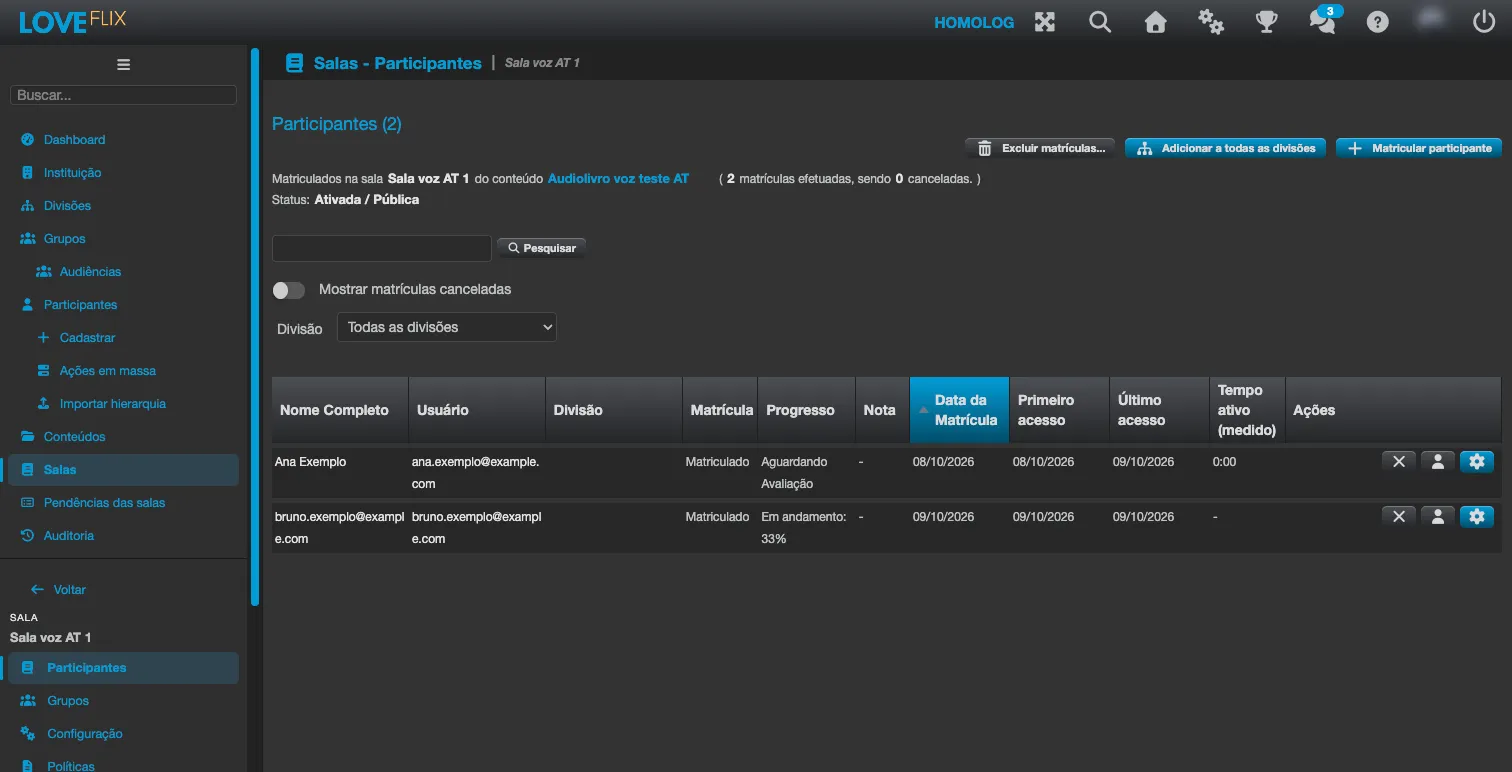
Section titled “Measured from activation”Measurement starts at the moment the feature is turned on for the institution; anything that happened before is never included. Participants who have not accessed the class since activation show “-” (not measured). A participant who accessed the class after activation and has not yet accumulated time shows 0:00. If the option is switched off and on again, the original activation date is kept: participants who already had measured time keep showing it (h:mm) instead of going back to “-”. A participant with stored active time also stays measured after an enrollment reset. While the option is off, nothing is recorded.
Where the value appears
Section titled “Where the value appears”- In the Participants tab of the class, in the Active time (measured) column, in h:mm (or “-” when not measured). Hover over the column title to see the rule in short.
- In the class spreadsheet (XLSX), in the class report, with the same value.
The column exists only when the feature is turned on. Everyone who can already see the class Participants list (institution administrators, class administrators and tutors, and observers) also sees the active time.
Who turns it on, and the notice to participants
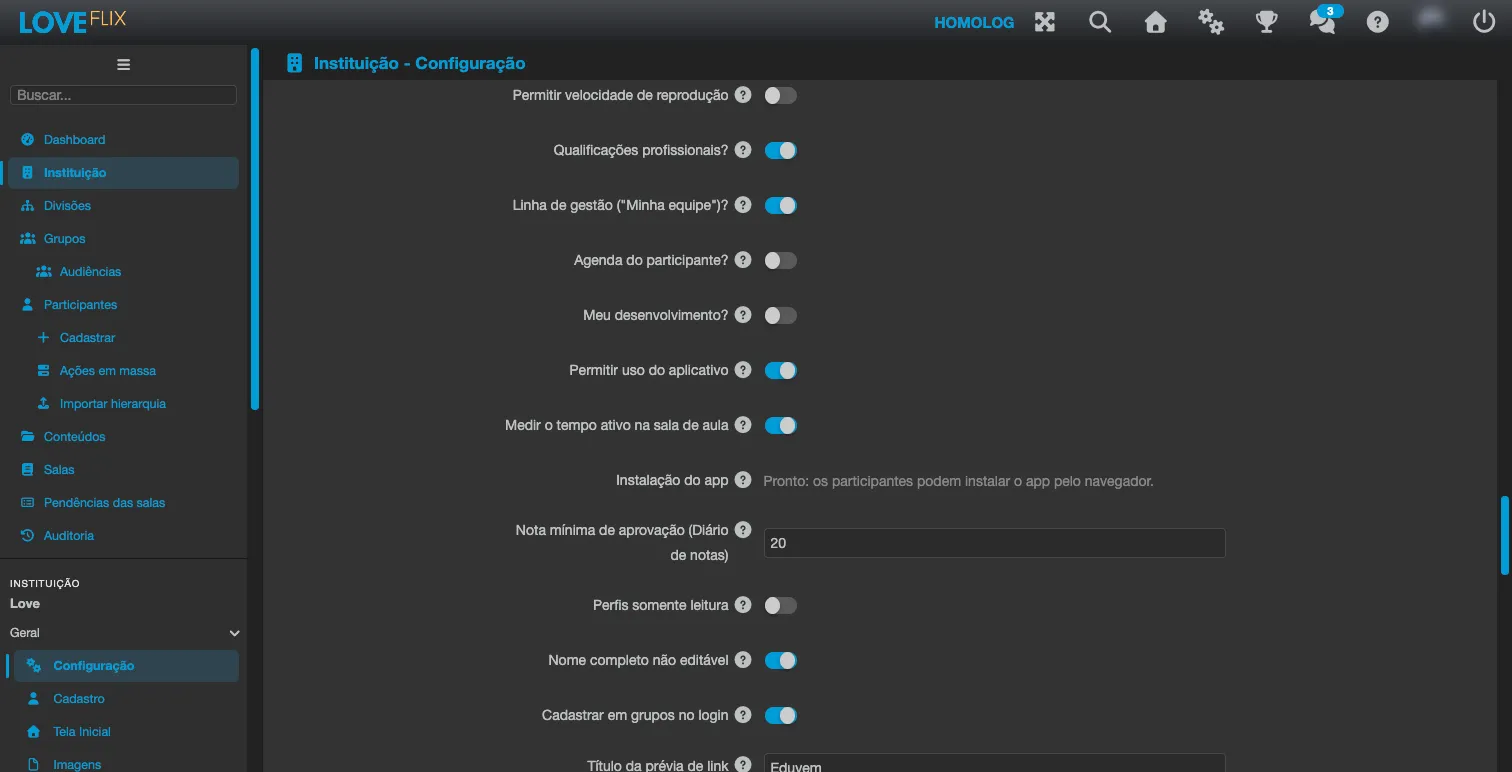
Section titled “Who turns it on, and the notice to participants”The feature is off by default. The institution administrator (or a higher role) turns it on under Institution > Classroom, in the Measure active time in the classroom option.
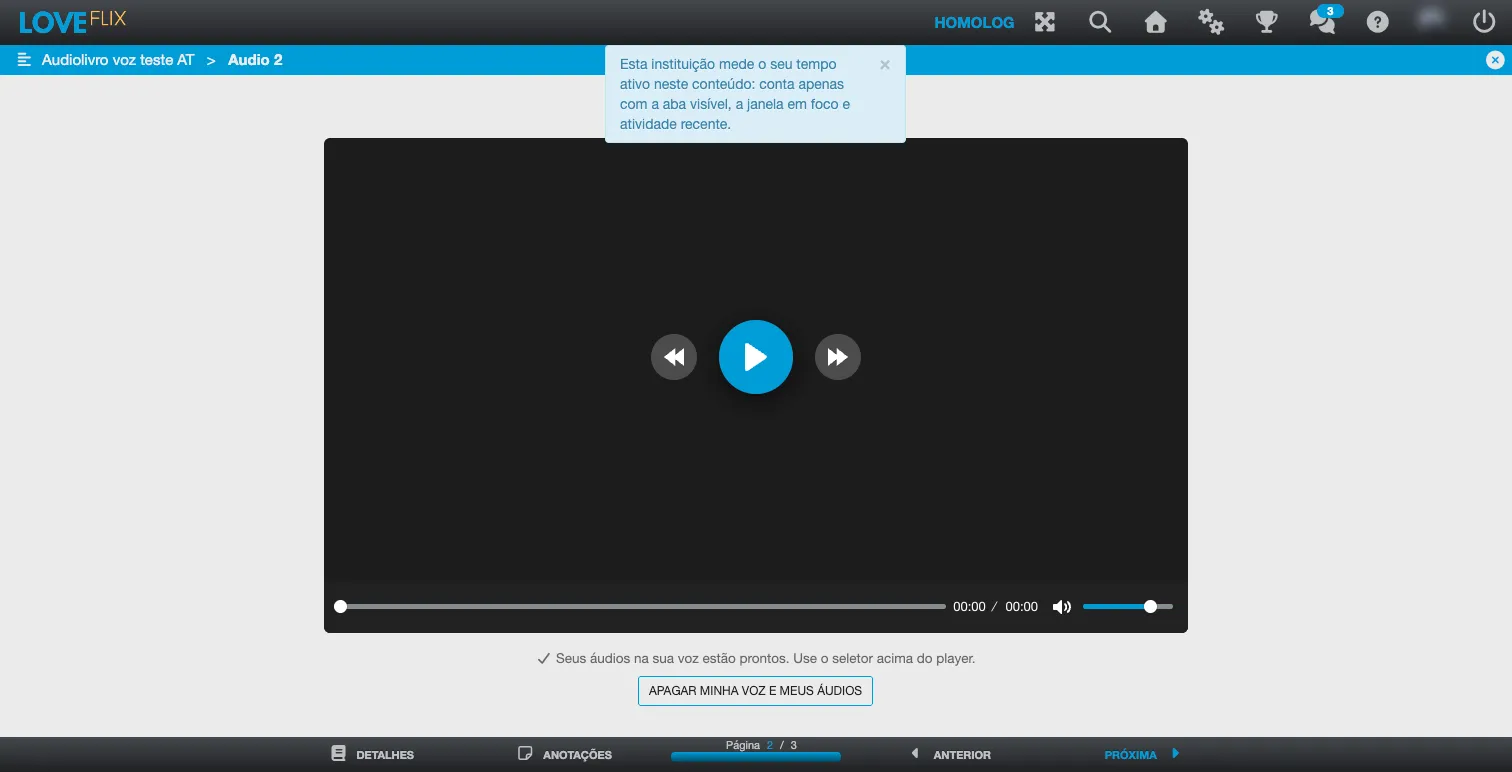
By turning it on, the institution takes on the duty to inform its employees that classroom usage time is measured, as required by the LGPD (Brazilian Law 13.709/2018). The platform also shows participants a notice: “This institution measures your active time in this course: it only counts while the tab is visible, the window is in focus and there was recent activity.” The notice appears once per enrollment in each browser, but it does not replace the institution’s own communication.
Limitations
Section titled “Limitations”The measurement runs in the participant’s browser while the classroom is open on the platform. When it cannot run, nothing is recorded: when the content is opened embedded in another site, through an external distribution link, or when an old version of the app is still cached in the browser. If the participant opened the content after the feature was turned on, the column shows “0:00”, and in this case that means “could not be measured”, not “the participant did nothing”. Before drawing conclusions, also check the participant’s progress and last access. For the cache case, reloading the page drops the old version.
Frequently asked questions
Section titled “Frequently asked questions”The participant studied for 8 hours, but the value shown is lower. Why? Part of the study probably happened with the tab in the background, in an external player, in a live class in another tab, in SCORM content, or with more than 5 minutes without interaction.
Can I use active time to issue the certificate? No. It is not a completion requirement.