


How to delete a user
Deleting a participant removes their access to the platform and anonymizes the personal data in the registration, preserving the institution’s numbers.
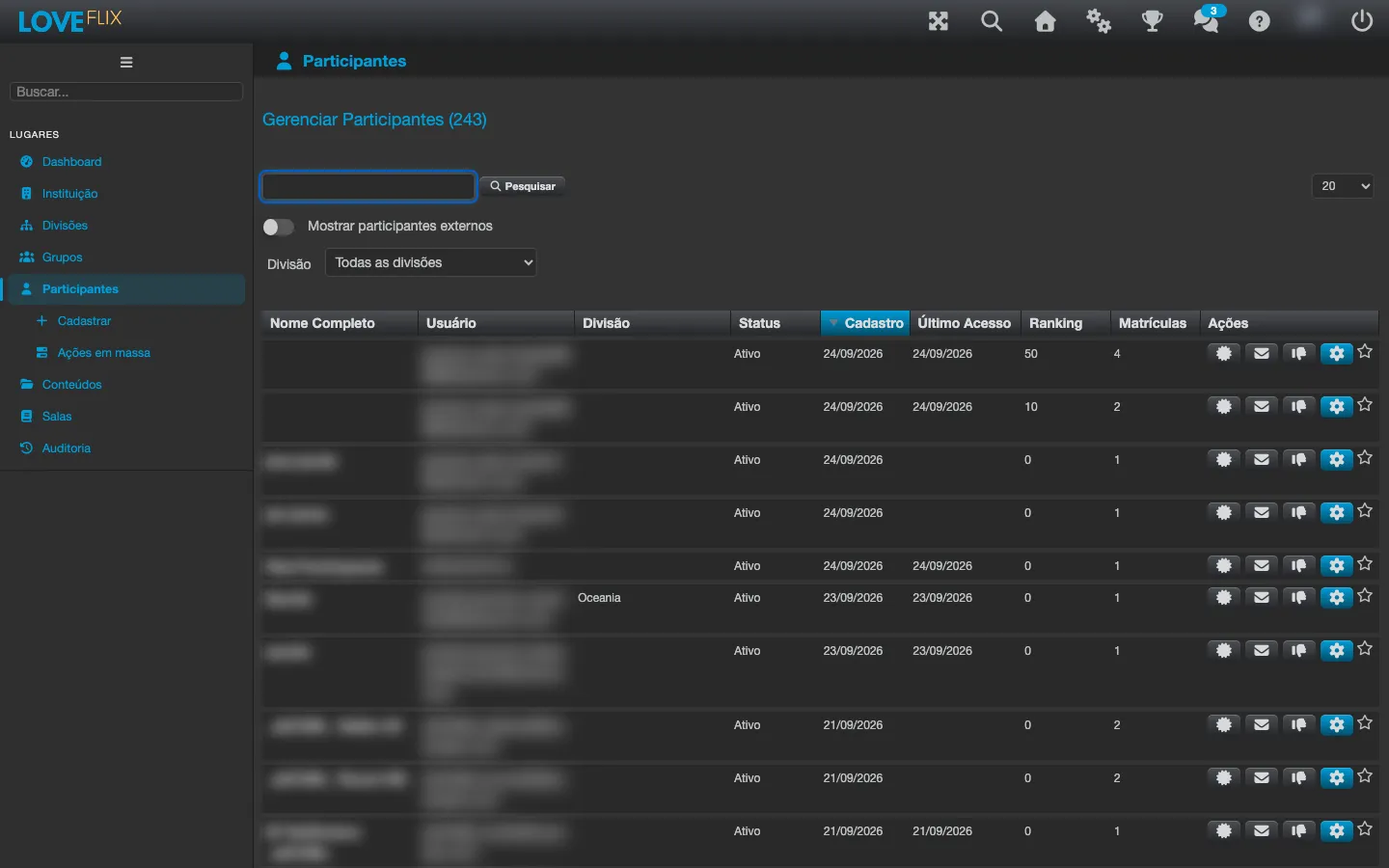
Step by step
Section titled “Step by step”Individual deletion is only available for a deactivated participant who has no enrollments. Anyone who has ever been enrolled in any class cannot be deleted individually - for those cases, use deactivation (recommended) or bulk deletion.
- Under Participants, find the person through the search.
- If they are still active, deactivate the registration first.
- Open the registration’s actions and choose delete.
- Confirm. The action is final.
What happens to the data
Section titled “What happens to the data”- Personal data (name, email, CPF): anonymized, in line with data protection best practices (LGPD).
- Institution history (enrollments, completions, report numbers): preserved in anonymized form, so the institution’s indicators are not distorted.
- Access: the credentials stop working immediately.
Bulk deletion
Section titled “Bulk deletion”For offboarding in volume (closing an open class, end of a program), use Mass actions (in the side menu, right below Participants). Mass deletion anonymizes the same data as the individual one, but does not require each person to be deactivated or without enrollments - it is the path for deleting participants who have had enrollments. It remains irreversible: use it with the same care.